
A single AT&T gateway box decides whether a Kansas City fiber bill matches the price quoted at signup or drifts away from it within a year. Swap in a personal router and the monthly equipment fee often survives anyway, because AT&T's fiber signal needs that specific box to authenticate before anything else on the network sees traffic. This pricing and equipment fee breakdown covers what you're required to rent, what upload speeds actually look like once you're paying for fiber, and how AT&T stacks up against the rest of the Kansas City ISP field.
Eight years of switching internet providers across two Kansas City-area addresses — cable, DSL, satellite, and now fiber — is what this comparison draws on, logged speed test by speed test and bill by bill since moving here from Chicago. Some of the links below are affiliate links: sign up for service after clicking through and the provider pays a small referral fee, you pay nothing extra, and which providers get covered here doesn't change because of it.
Why Upload Speed Decided the Switch to AT&T Fiber
The moment that mattered most didn't happen at home. It happened during a client walkthrough I was running from a co-working desk near Crown Center, by the Hallmark offices downtown, on a T-Mobile Home Internet gateway I'd set up as a cheap backup line — latency climbed past 80 ms right as I hit the next slide, and the screen-share froze there while the client waited on the other end.
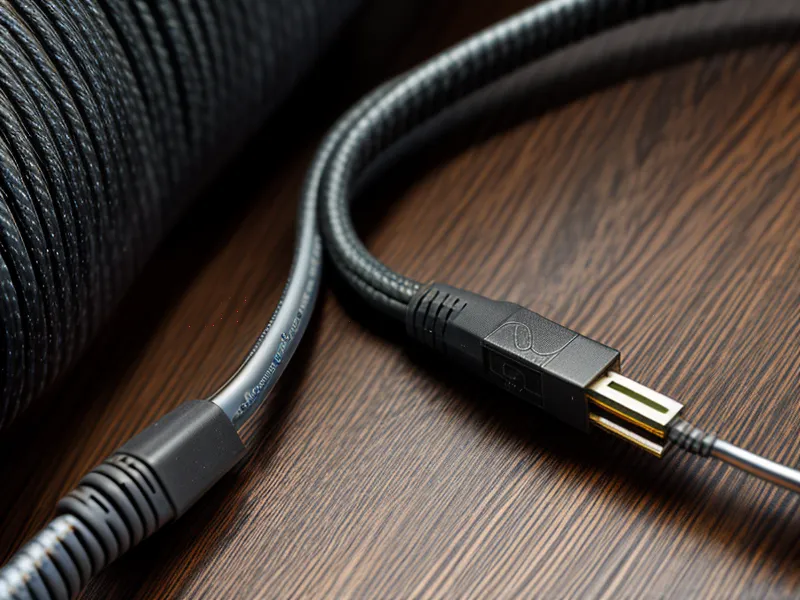
Download speed gets all the marketing attention, but upload is what actually breaks during a video call, a large file sync, or a screen-share under load. That backup scare is what pushed me to finally sign up for AT&T Internet at the Lenexa address instead of treating fiber as a someday upgrade. Most cable plans, Spectrum included, still cap upload around 35 Mbps even on a 1 Gig download tier — fine for browsing, rough the moment you're pushing a database backup or holding a client's attention on a 4K feed. AT&T's fiber-to-the-home setup runs symmetrical, so the upload number finally stopped being an afterthought.
What confirmed the switch was mundane by comparison. My wife needed two uninterrupted hours for a live class stream one afternoon, and I had a code repository syncing at full tilt in the background the entire time — neither connection so much as stuttered, which had never once happened on the old line.
What the AT&T Equipment Fee Actually Covers
A brand-new AT&T gateway carries that faint hot-plastic, fresh-circuit-board smell. It's easy to forget once it's just another blinking unit on a shelf, but it's the exact piece of hardware generating a line item on the invoice. AT&T's fiber tiers have shifted toward all-in pricing, though older or promotional plans still tack on a monthly rental charge for that gateway, following the same shell-game pattern most large ISPs use: advertise one number, footnote the exceptions. Activation itself is mostly plug-and-wait once the fiber drop is live — the gateway self-provisions the moment it's powered on, which beats the multi-call activation process cable installs used to require. Bridge the AT&T box to a personal router, which is what I do to manage my own network, and the base rental fee typically survives anyway, since the gateway has to authenticate the fiber signal before anything else sees traffic. Billing transparency varies enough across providers that I still read the actual PDF invoice every month rather than trust an account portal's summary screen. For anyone running their own monitoring setup, why AT&T Fiber latency matters for real-time IT systems monitoring is worth reading before committing to their hardware stack.
Fiber, Cable, and the Physics of Jitter
Jitter is the variation in delay between packets, and it's a better predictor of a bad video call than raw speed ever is. Running a cable line alongside the new fiber line for a few weeks made the difference obvious: the cable connection's jitter spiked every afternoon once neighborhood kids got home from school and started streaming, while the fiber line barely moved. That's the practical difference between Fiber-to-the-home architecture and the DOCSIS standard cable providers still run on — a dedicated strand of glass per household behaves differently under load than shared coax ever will. AT&T's top fiber tier climbs to 5 Gig, which is more headroom than almost any home office needs, but the number worth watching is latency: sub-15ms even during peak evening hours on the plans I've tested. The other number worth watching is what happens to the bill once the introductory period ends — usually a noticeable jump once the promo year is up if nobody calls in to renegotiate, which is its own kind of jitter, just measured in dollars instead of milliseconds.
Is Quantum Fiber a Better Deal Than AT&T at Your Address?
A friend who coaches a U12 club soccer team out of Lenexa Athletic Park asked me last month whether he should drop AT&T for Quantum Fiber at his address, and the honest answer was: it depends on what's actually lit up on his street, not what the coverage map claims. Address-level availability is the one variable no amount of research replaces — two houses three doors apart can get completely different answers from the same provider's sign-up tool. Where Quantum is available, it tends to be more aggressive with no-contract pricing and includes the equipment without AT&T's rental-fee dance, which is why I've had to compare Quantum Fiber and AT&T Fiber for home offices more than once for people in a similar spot. AT&T's footprint is still the bigger one, though — more than 25 million homes passed nationally — which makes it the more likely fiber option for most Kansas City suburbs even when Quantum would technically win on price. Matching the plan tier to what a household actually uses matters more here than chasing whichever provider prints the biggest number on its homepage.
Reading the Kansas City Coverage Map: Brightspeed, Frontier, and the Google Fiber Effect
Kansas City's internet market looks the way it does because Google Fiber picked this metro as its very first launch market years ago, and every big provider has been playing catch-up on price and speed ever since. Brightspeed has been expanding fiber across 17 states on old CenturyLink lines, though its DSL tiers still slow down noticeably the farther a house sits from the local node — a real limitation for anyone stuck outside the newer fiber build zones. Frontier has pushed multi-gig symmetrical tiers into parts of the metro as well, with a price lock that's worth reading closely since taxes and fees usually sit outside it. For addresses where none of this reaches, fixed wireless plans like Verizon's 5G Home Internet or a satellite option such as HughesNet exist as fallbacks, but they solve a different problem — 5G Home depends heavily on tower distance, and satellite latency makes it a rural backup at best, not a real substitute for fiber in a metro this well served.
What Your Bill Looks Like After Month Thirteen
AT&T's promotional rate tends to hold steady well into the first year without much drama. Month thirteen is the one to circle, since that's when the discount expires and the bill jumps whether or not anyone calls to renegotiate. Switching providers entirely to dodge that jump sometimes means eating an early termination fee or a contract buyout calculation of its own, so the math isn't always as simple as it looks on a competitor's homepage. Knowing what to say when that renewal call happens is its own skill, and I've written separately about lowering your internet bill using exactly what a competitor is offering at your zip code as leverage.
Picking the Right AT&T Plan Tier for a Home Office
The 5 Gig tier reads like a marketing flex more than a practical need for almost any home office — most consultants and remote workers are never going to touch that ceiling. The 1 Gig symmetrical tier is the one that actually matters, because it's the plan where upload finally stops being the bottleneck during a client call, a large file transfer, or a background sync that can't wait for a quiet hour. After running six providers since 2018 across two Kansas City-area addresses, AT&T Fiber has been the steadiest big-brand option here, provided the equipment fee line gets checked every time a promo resets. Checking AT&T Fiber availability at a specific address is still the first real step, not a sales call — the coverage map will tell you more than any brochure will.
| Product | Rating | |
|---|---|---|
| Quantum Fiber Top Pick | 9.2 | Read More → |
| AT&T Internet | 8.7 | Read More → |
| Frontier | 8.4 | Read More → |
| Brightspeed | 8.1 | Read More → |
| Spectrum | 7.8 | Read More → |
AT&T Internet
Pros
- ● Symmetrical fiber speeds up to 5 Gig
- ● Significant bundling discounts for AT&T wireless customers
- ● Consistently low jitter for professional video conferencing
Cons
- − Equipment rental fees can be sneaky on certain plans
- − Branding confusion between Fiber, Air, and DSL technologies