
Verizon's pitch for 5G Home Internet tells one story, but contact with a real suburban Kansas City address — thick walls, a distant tower, a cable company that's had a year to raise the price — reveals what actually works. Clients and neighbors ask me some version of this question more than any other when they're rebuilding their work-from-home setup, and after running Verizon's 5G Home Internet gateway against fiber and cable at my own address, I've got real numbers instead of a guess.
The short version: it's worth it if fiber isn't an option at your address and you can live with some jitter during the afternoon rush — not if a single dropped call during a client presentation would sink you.
Since moving from Chicago, I've tested six different providers across two Kansas City addresses, largely because high upload speeds for Zoom calls matter more to consulting work than any download number ever will — a laggy upload turns a client call into a slideshow long before a slow download does, and that's its own deep subject worth reading separately. I'll drop a provider from these pages the moment its real-world performance slips, commission or not.
What Is Verizon 5G Home Internet, Actually?
Verizon's 5G Home Internet isn't fiber and it isn't cable — it's fixed wireless access, meaning data travels over the air from a cell tower to a gateway box in your house, then over your own Wi-Fi from there. Nothing gets trenched into your yard and no line gets run from the pole. The gateway pulls in Verizon's C-Band spectrum, a slice of frequency between 3.7 and 3.98 GHz that carries a lot of data but doesn't punch through Kansas City limestone or poured concrete especially well. That trade-off of strong bandwidth but weak penetration explains almost everything else in this review, including why the gateway's exact placement in the house matters more than the plan you pick.
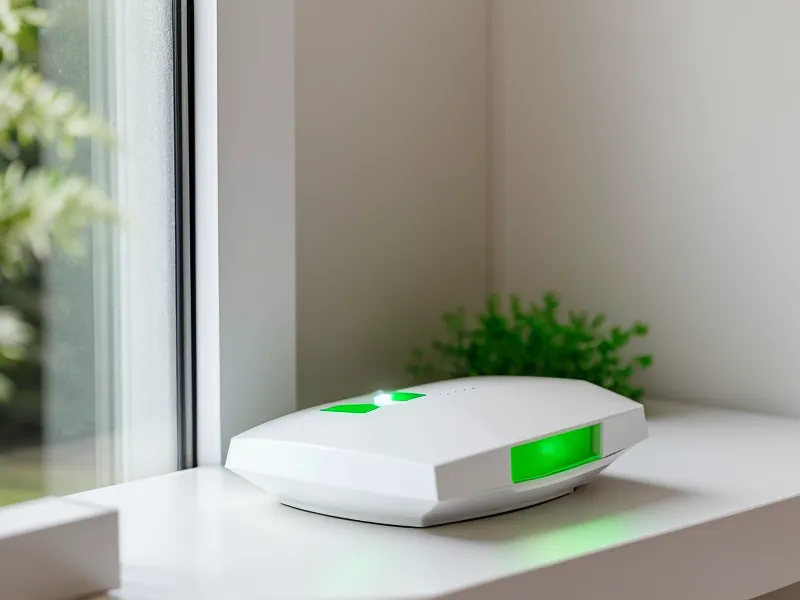
Setting It Up: The Self-Install Reality
Self-install genuinely works without a technician on-site — the catch is that "works" assumes you find the right spot for the gateway first. A box shows up, you plug it in, and an app shows signal strength wherever you place it. That sounds simpler than it turned out to be. Finding the one spot where the tower signal reaches the gateway without getting shredded by drywall and framing became what I now call the window hunt: a couple of hours moving a white box from outlet to outlet with a phone screen open to a bar graph. My first attempt set it beside the modem and router it was about to replace, both still warm from running nonstop for days, and the concrete foundation killed the signal outright. It finally locked on upstairs, on a bookshelf facing the street, in a room that has nothing to do with where I actually work.
Nothing about that is a Verizon quirk specifically. Any fixed-wireless signal in this frequency range behaves the same way, which is worth knowing before assuming a bad first reading means a bad plan.
Peak-Hour Speeds and the School Bus Problem
Download speeds are genuinely strong in the late morning and considerably less predictable by late afternoon, and the gap comes down to how many neighbors are online rather than anything wrong with the hardware. Testing ran from November 2025 through June 2026, logging speeds at different times of day instead of trusting a single result. Around 10 AM, download regularly landed near 312 Mbps with upload near 22 Mbps, with two 4K streams and a handful of smart-home devices running in the background — not a best-case, empty-house number. Afternoons told a different story: once school buses started dropping kids off nearby and the block came home, jitter climbed into a 42ms to 88ms range, a wide swing from the steady handful of milliseconds earlier in the day.
A connection from AT&T Fiber or Quantum Fiber won't show that kind of afternoon swing, because a dedicated glass line isn't sharing airtime with every gateway on the same tower. Latency spikes like that are what actually wreck a video call, not the download number printed on the box — testing for that properly instead of trusting a single speed-test number is its own subject, worth reading on its own.
That swing showed up exactly once during a call that mattered: audio digitized and dropped for a few seconds at the start of a client presentation, then recovered on its own. Rare enough to be an annoyance rather than a dealbreaker — but reason enough that I wouldn't put Verizon 5G behind a business that can't absorb one bad minute.
Does It Beat Cable or Fiber in the Suburbs?
Cable is the default suburban alternative, and Spectrum is usually the name on that plan — download speeds can be solid, but the upload side stays capped well below what a symmetrical connection offers, a gap that matters more than most people expect until a call needs to send video both ways. Fiber, where it reaches, changes the math entirely: a symmetrical line from a provider like Frontier beats a wireless signal on reliability every time, the same way an express train beats a bus that has to stop for traffic. I logged Verizon 5G against a cable plan side by side at my own address, and the fuller numbers are in my Verizon Home vs Spectrum Cable performance log. Where Verizon 5G earns its keep is the gap between those two extremes — cheaper and simpler than a cable contract, more available than fiber, with a flat bill that doesn't require memorizing how fiber, cable, DSL, and satellite even differ at a given address, a comparison that deserves its own full breakdown since the four technologies behave nothing alike under the same suburban roof.
What Happens When the Primary Line Fails?
Storms are where fixed wireless surprised me. One of those late-February systems that turns the sky a strange green rolled through, and where a cable line strung across poles usually flickers when branches whip into it, the 5G connection didn't blink. The signal comes from a hardened cell tower, not a wire hanging over the street, so storm damage elsewhere in the neighborhood doesn't touch it the same way.
That resilience doesn't mean every backup option behaves the same. During a stretch when Brightspeed was down at a different address I was testing, I set up HughesNet satellite as a failover line, expecting a stopgap. Instead, the added latency made Teams calls unusable even on a clear day with nothing blocking the dish — screen shares froze mid-slide and audio lagged enough that people talked over each other. Satellite earns its keep as a rural backup where nothing terrestrial reaches at all, and that's its own conversation with its own tradeoffs. As a stand-in for a suburban address that already has better options, it wasn't one.
None of that shows up on a rate card, which is its own lesson: hidden fees and rate hikes tend to hide in the fine print more than in the sales pitch, and a provider's month-four bill usually tells you more than the install-day pitch did — worth checking before signing anything, on any provider.
The Verdict for Suburban Work-From-Home Setups
It isn't a fiber killer, and it was never trying to be one. If a symmetrical fiber plan is available at your address, take it over any wireless option without a second thought. But for the suburban households stuck choosing between a cable company that raises the price every year and a DSL line that hasn't been upgraded in a decade, it's a legitimate answer — flat $50 or $60 all-in pricing held steady past the point where my old cable bill had climbed toward $110, and that kind of billing transparency, where the number on month four matches the number on day one, is worth more than an extra 50 Mbps most households will never fully use.
Keep the window hunt in mind, expect some jitter during the afternoon rush, and if your work truly can't tolerate one bad minute on a call, keep a wired backup around. For most suburban work-from-home setups, it's a solid answer to a cable bill that keeps climbing — and if you want to see whether your own address qualifies, you can check Verizon 5G Home availability here.