
The red bar appeared at the top of my Zoom window late one rainy afternoon in Kansas City, just as I was walking a new client through a high-stakes systems migration. My video feed froze into a jagged, pixelated mess, and the audio turned into a series of robotic chirps. I felt that specific cold sweat—the one where you realize your professional reputation is currently at the mercy of a copper wire buried in your front yard. It was late November, and I was done with 'good enough' internet.
Before we get into the weeds, you should know that some links here are affiliate links. If you sign up for an internet plan after clicking through, the ISP pays me a small referral fee. You pay nothing extra, and it doesn't change my recommendations. I only write about providers I have personally used or that my close contacts are currently running, and I stop covering them if the service quality drops off. I am an IT consultant, not a salesperson; I care about what actually works when the camera is on.
The Upload Speed Bottleneck
Since moving from Chicago to the Kansas City suburbs in 2018, I have cycled through six different providers. I’ve tried the big cable names, the local fiber startups, and even a brief, desperate stint with satellite. Most people focus on download speed because that is what the marketing brochures scream about. But for someone in my line of work, download speed is usually a vanity metric. If you can stream a 4K movie, your download is fine.
The real killer for video conferencing is upload speed and jitter. I spent years wondering why I was paying for a gigabit of download speed when my 35 Mbps upload—the standard for most cable plans—was the thing actually throttling my career. On a traditional cable connection, your data is like a local train: it makes a lot of stops and gets stuck behind everyone else’s traffic. Fiber, specifically symmetrical fiber, is the express train. Your upload speed is identical to your download speed, which is critical for sending high-definition video streams to twenty other people without your computer gasping for air.
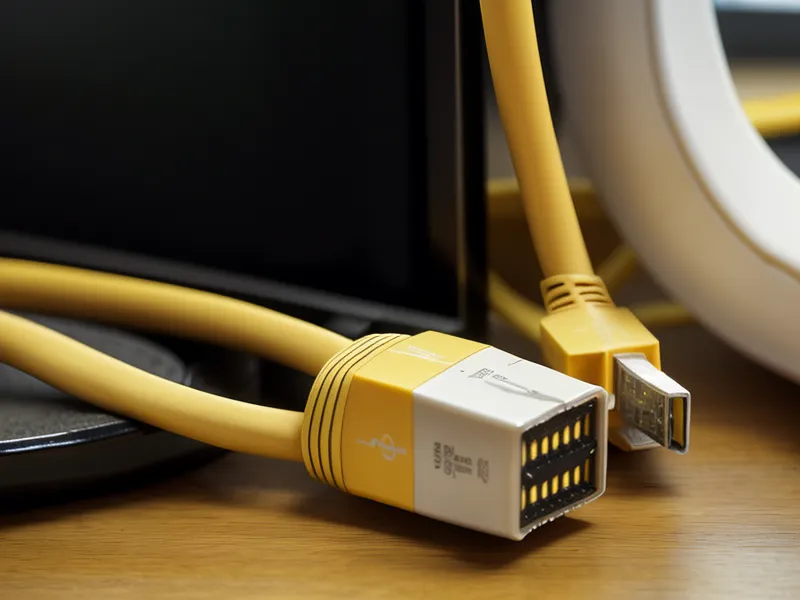
AT&T Fiber vs Frontier: The Infrastructure Battle
When I started comparing AT&T Internet and Frontier, I looked at it the way I’d look at a foundation repair: what is actually being put into the ground? AT&T has a massive footprint, passing 25 million homes across 21 states. Their fiber-to-the-home (FTTH) architecture is generally consistent. When they say fiber, they mean a glass strand coming directly into your house, not a hybrid setup that switches to old copper at the curb.
Frontier, on the other hand, is in the middle of a massive transformation. They offer up to 5 Gig symmetrical speeds in expanding markets like Texas and Florida. They are aggressively pushing into areas where they previously only offered ancient DSL. However, you have to be careful. In some legacy areas, the 'Frontier' name still covers old copper lines that won't give you the latency benefits of fiber. If you are looking at Frontier Fiber plans for remote workers, always verify that the plan specifically mentions 'Fiber' and 'Symmetrical' speeds.
In early spring, I began tracking the packet loss on both networks through some colleagues who live a few miles over the state line. While Frontier has the higher 'ceiling' with that 5 Gig plan, AT&T’s consistency in the Midwest stood out. It isn't just about how fast the data moves; it’s about how steady the flow is.
Why Peering Agreements Matter More Than Raw Speed
Here is the contrarian truth that most ISP reviews skip: the 'speed' on your bill matters less for Zoom than the provider's peering agreements. Peering is essentially the 'handshake' between your ISP and the rest of the internet (like Zoom's servers or Microsoft Teams). You can have a 5 Gig connection, but if your ISP has a crowded or poorly managed handshake with the data center hosting your meeting, you will still see that 'unstable connection' warning.
During my testing mid-July, I noticed that AT&T's routing often felt more direct. Because they are a Tier 1 provider, they own a significant chunk of the internet's backbone. They aren't just renting space on someone else's pipes; they own the pipes. This often leads to lower jitter during peak evening hours when the rest of the neighborhood is hopping on Netflix. Frontier is catching up, especially with their newer fiber builds, but their routing can sometimes be a bit more circuitous depending on which legacy network they are building on top of.

The Install Day Reality Check
I treat install day like a job interview for the provider. When I moved to my current address, the AT&T tech arrived within the window, spent two hours ensuring the fiber line was buried at the correct depth, and didn't leave until he’d verified the signal levels at the modem. It felt professional, like hiring a licensed electrician rather than a guy with a van and a ladder. I’ve found that AT&T Fiber pricing and equipment fees are generally transparent, though you should always check the current rates on their site as they change frequently.
Frontier has improved their service reputation significantly over the last year, but they still struggle with consistency in their older markets. If you’re in a brand-new Frontier fiber market, you’re likely getting state-of-the-art equipment. If you’re in a transition zone, you might find the install process a bit more 'local contractor' and less 'corporate precision.' For those in smaller markets where the big players don't go, you might even be looking at Brightspeed, which has been expanding its fiber footprint across 17 states since spinning off from CenturyLink. They are a solid alternative if the 'Big Two' haven't reached your street yet.
Six Months Later: The Verdict on Jitter
After about six months of running on a dedicated fiber line, the difference in my work life is tactile. I no longer hold my breath when I share my screen. I don't have to ask, "Can you guys hear me?" every ten minutes. The symmetrical nature of fiber means that even while my backup software is pushing 50GB of data to the cloud in the background, my 1080p video feed remains rock solid.
If you are choosing between these two for video conferencing, here is my pragmatic take:
- Choose AT&T Fiber if you are in one of their 21 states and value routing stability and a massive, owned infrastructure. Their 25 million homes passed means they have the 'big brand' polish on their fiber product.
- Choose Frontier Fiber if you are in a newer market where they offer those massive 5 Gig tiers and you want a provider that is hungry to prove their new fiber network is better than their old DSL reputation.

Don't get distracted by the '1 Gig' or '2 Gig' labels. Most video calls only need about 10-15 Mbps of steady, low-jitter upload. The reason you buy fiber is for the consistency of that 10 Mbps, not the ceiling of the 1000 Mbps. I’ve found peace of mind in a connection that doesn't drop packets during client demos. It’s the difference between a tool that works and a tool you have to manage.
If you're tired of the cable company's 35 Mbps upload ceiling—which is still the standard for a Spectrum gigabit plan—it’s time to look at the fiber map. Check your address for AT&T Internet or Frontier today. The current pricing and promotional offers are always on their official pages, and they change often enough that it's worth a fresh look before you commit to another year of pixelated meetings.