
Late last October, I was managing a critical server migration for a client in downtown Chicago from my home office in suburban Kansas City. The deployment script was hitting its most sensitive phase—the kind where a dropped connection means four hours of database rollback—when my video feed froze into a pixelated mess. My dashboard showed a massive spike in latency, and for thirty agonizing seconds, I was flying blind. That was the night I realized that the ‘Gigabit’ cable connection I’d been paying for was a house of cards built on marketing fluff.
Quick heads-up: some links in this post are affiliate links. If you end up signing up for a plan after clicking through, I earn a commission at no extra cost to you. I’ve personally tested these providers across two different houses since moving here in 2018, and I only recommend the ones that haven’t left me hanging during a client call. I drop any provider from my coverage the moment their service quality starts to tank.
Since moving from Chicago, I’ve cycled through six different internet providers. I’ve tried the legacy cable giants, the DSL leftovers, and even a brief, desperate stint with satellite. What I’ve learned as a consultant isn’t that speed doesn’t matter—it’s that the speed they put on the billboard is almost always the wrong number. Most people obsess over download speeds because they want Netflix to buffer faster, but for a remote office, the real battle is won on upload stability and jitter.
The Upload Speed Trap: Why Cable Often Fails the Office Test
Most cable internet providers offer what’s called asymmetrical speeds. You might see a plan advertised as ‘1 Gig,’ but if you read the fine print on a provider like Spectrum, you’ll find that their 1 Gig plan usually caps out at a 35 Mbps upload speed. In a world where fiber-optic communication is becoming the standard, that 35 Mbps is a massive bottleneck. Think of it like a highway where the inbound lanes are ten cars wide, but the outbound lane is a single-track dirt road. If you’re just ‘consuming’—watching YouTube or scrolling social media—you don’t notice. But the moment you try to ‘produce’—uploading a 2GB log file or hosting a high-def Zoom call—that dirt road turns into a parking lot.
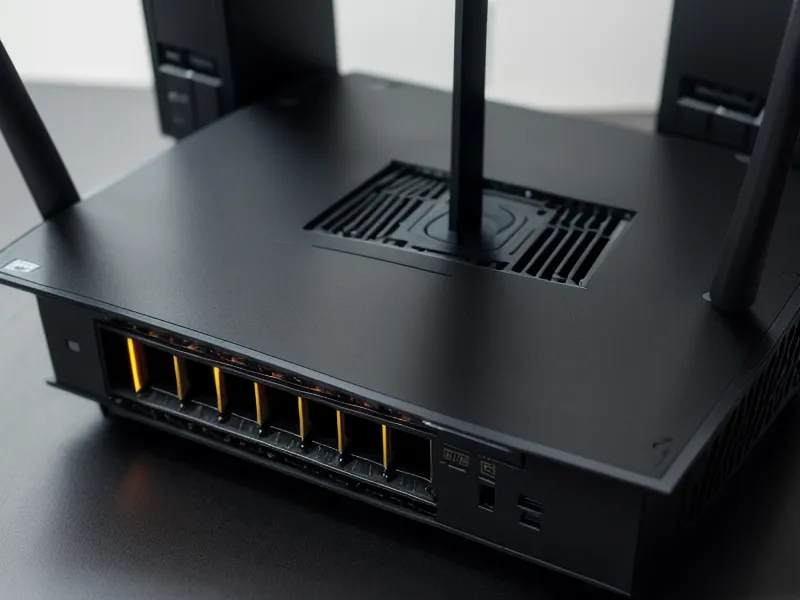
During a heavy winter storm earlier this year, I started logging my packet loss. While my download speeds stayed respectable, my jitter—the variation in how long it takes data to travel—was all over the map. For remote work, jitter is the silent killer. It’s what causes that ‘stuttering’ effect where your voice sounds like a robot to your boss. Most professional video setups, like Frontier Fiber Plans for Remote Workers Needing Fast Upload Speeds, prioritize symmetrical speeds, meaning your upload is just as fast as your download. That symmetry is the difference between a professional-grade office and a glorified coffee shop connection.
Comparing Frontier Fiber Tiers for the Home Consultant
Frontier has been aggressively expanding its fiber footprint, particularly in three key states: Texas, Florida, and California. When I looked at their current offerings, I wasn’t looking for the biggest number; I was looking for the most consistent one. They offer everything from a basic 500 Mbps tier up to a massive Frontier maximum symmetrical fiber speed of 5 Gig.
For most of us, 5 Gig is overkill. It’s like hiring a semi-truck to deliver a single envelope. However, the 1 Gig and 2 Gig tiers are the sweet spots for anyone running a multi-device household. While the Zoom recommended bandwidth for HD video is only about 3.8 Mbps, that’s just for the stream itself. It doesn't account for your background cloud backups, your partner’s VPN connection in the other room, or the smart security cameras constantly pinging the server. Symmetrical fiber handles all of that simultaneously without breaking a sweat.
Billing Transparency and the Price Lock Promise
One of the biggest headaches I’ve dealt with in Kansas City is the ‘Month 13 Surprise.’ You sign up for a promo at eighty bucks, and suddenly, a year later, your bill is north of a hundred without a single change in service. Early this spring, I spent a morning digging through my old billing receipts from three different providers. The lack of transparency was staggering. This is where Frontier caught my attention. They’ve leaned heavily into multi-year price locks, which is a rare bit of honesty in this industry.
When you look at Comparing Internet Price Lock Plans for Transparent Monthly Billing, you realize that a lock isn’t just about the price—it’s about the peace of mind. Now, you have to be realistic: a price lock usually excludes those pesky government-mandated taxes and fees that change every year, but the base service fee stays put. It’s like a gym membership that actually honors the rate you signed up for. No data caps on their fiber tiers also means I don’t have to play ‘bandwidth police’ with my family at the end of the month.
The Installation Reality Check
Installing fiber isn't as simple as plugging a modem into a cable jack. I remember when the tech showed up at my first address in 2018; it was a whole ordeal involving running new lines from the street. With Frontier, the process has become much more streamlined. They install an Optical Network Terminal (ONT), which is the bridge between the glass fiber outside and the ethernet in your house.
I still remember the first time I went down to the basement after the switch. Instead of the erratic, frantic blinking of my old cable modem—which always felt like it was one bad packet away from a heart attack—there was just the cool, steady glow of the green ONT status light. It sounds small, but for someone who relies on this connection to pay the mortgage, that steady green light is a sensory relief. If you're worried about the transition, I've written about How to Switch Internet Providers Without Losing Service During Work to help minimize the downtime.
Final Thoughts: When the Connection Becomes Invisible
One humid July afternoon, I was finishing up a project that required me to push about 40GB of data to a remote server. I started the transfer, went to the kitchen to refresh my coffee, and came back to find it already finished. I didn’t have to schedule the upload for 2 AM. I didn’t have to tell my wife to stop streaming her show so I could have the bandwidth.
The biggest compliment I can give an ISP is that I’ve stopped thinking about them. Realizing I haven't looked at my router's admin panel or run a manual speed test in over three months is the ultimate win. For a remote consultant, maximizing raw bandwidth is often a waste of money. What you actually need is low-jitter, symmetrical upload speed that makes your connection invisible. If you’re in a market where Frontier offers their fiber service, it’s a massive upgrade over the legacy cable ‘express trains’ that always seem to get stuck on a local track. While other providers like AT&T Internet or Quantum Fiber are also great contenders in certain neighborhoods, Frontier’s focus on high-tier symmetrical speeds makes them a top choice for a serious home office.