
A one-gig cable plan and a one-gig fiber internet plan can carry the same number on the sales page and still behave nothing alike once you're sending data instead of pulling it down. That's the detail most isp comparison guides skip, and for anyone doing remote work, it decides whether a client call survives the afternoon or dissolves into patchy internet speeds mid-sentence.
Some of the links in this piece are affiliate links — I earn a small commission if you sign up through them, at no added cost to you. I only point people toward providers I've tested at my own desk or vetted for consulting clients, which is why Quantum Fiber and Brightspeed come up more than once below.
The Myth: 'Guaranteed Upload' Tiers Fix a Cable Connection
Most cable plans get sold on the download number, because for two decades that was the only number anyone checked — streaming, browsing, the occasional download. Upload barely mattered if you weren't sending much back. That changed the moment remote consultants started living inside video calls, cloud backups, and file transfers running the other direction, and cable's plumbing was never built for it. The upload side of a DOCSIS cable connection runs on a narrower slice of the line than the download side, by design, not by accident.
When my connection kept choking during afternoon calls, the cable provider's fix was a 'guaranteed upload' add-on on their business tier — a higher price for a promise that the upload lane would hold under load. It didn't hold. My line ran through the same shared node as the apartment complex next door, and once everyone there got home from work, my 'guaranteed' upload sank right along with theirs. The replacement modem they shipped for the upgrade still had that plastic-and-solder smell of something fresh out of the box when I set it on the desk, which felt like an odd thing to register while watching a call stutter.
What Symmetrical Fiber Internet Actually Changes
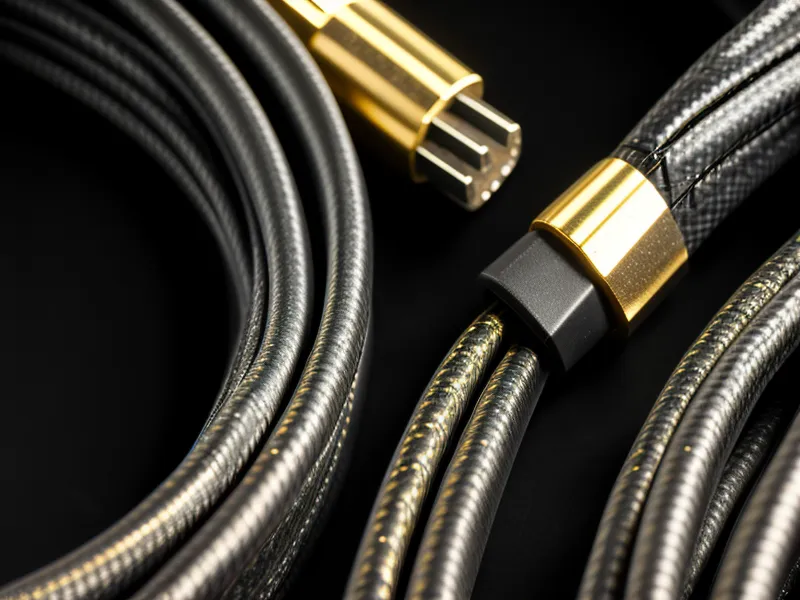
Fiber doesn't need an add-on tier to widen the upload lane, because the wire carries both directions at equal capacity from the start. That's the actual definition of symmetrical service, and it's mostly exclusive to fiber-to-the-home lines rather than something a cable provider can bolt onto an existing connection. Switching removed a kind of background tax I hadn't noticed I was paying — the pause before starting a big upload, the quiet math of whether a file sync and a client call could survive happening at the same time. Anyone who wants to check what a connection is actually doing under load, instead of trusting the plan label, can work through my guide on testing home internet speed and jitter for Zoom calls.
The Part About Jitter I'm Keeping Short Here
During a four-person client call, I kept an eye on the ping graph out of habit, and it held between three and six milliseconds for the whole hour without a single spike — nobody's video froze, nobody's audio cut out mid-word. That steadiness is jitter behaving the way it should, and I'm going to leave the deeper mechanics alone here. A reader named Whitman Zuberi, a retired IT director who reads this site closer than most people who comment, once flagged an oversimplified jitter explanation I'd written, and he was right to. Better to point toward the fuller version than repeat a mistake he already caught.
Does Your Address Decide More Than the Provider's Brand?
Internet performance is hyper-local in a way the national ads never admit. Some blocks in the Kansas City metro sit inside AT&T Internet's fiber footprint across 21 states, while a block over, the realistic option is Brightspeed, still expanding fiber across 17 states since splitting off from CenturyLink and running DSL everywhere fiber hasn't reached yet. Beyond those two there's a wider menu most people ignore until fiber genuinely isn't available — fixed wireless riding a nearby 5G tower, or satellite as the last resort when no wire reaches the house at all. Each of those categories solves a different problem and none behaves like the others, which is really its own separate comparison. Around here, whether Brightspeed or Spectrum makes more sense for a suburban Kansas City home office usually comes down to which one actually reached your block, not which brand ran the better commercial.
The Bill Rarely Matches What You Signed Up For
Reset clauses are the internet-plan version of a gym membership that's easy to join and a maze to leave, and cable providers lean on them constantly. One of the reasons Quantum Fiber has stayed on my recommend list is that there's no promotional cliff waiting a year down the road — the price doesn't quietly climb once the introductory window closes. My neighbor Caitlin still prints every ISP contract she's handed and highlights the auto-renewal clause before she'll sign anything, which sounds excessive right up until you've been the one blindsided by a rate hike with zero warning. Whether a provider stays honest about billing over time is really its own investigation — I go deeper on that consistency, along with latency for gaming, in a separate look at Quantum Fiber for gaming and low latency, worth reading if the fine print worries you more than the speed test does.

The Rule I'd Give Any Consultant Shopping for a Plan
So here's the correction, stated plainly: don't shop by the download number, and don't trust an upload 'guarantee' bolted onto an asymmetric line to behave like a wire that was built symmetrical in the first place. Ask what the connection actually is — fiber, cable, fixed wireless, DSL, satellite — before asking what tier it's sold as, because the tier is marketing and the wire is physics. If a provider can't tell you plainly whether upload and download are equal at your address, keep asking until someone gives you a straight answer instead of a brochure. Checking whether Quantum Fiber reaches your address is a reasonable place to start, since matching upload and download is the baseline there, not an upsell.