
935 down, 925 up. Caleb, the install tech, ran the same speed test twice before either of us fully trusted it, because a home connection landing that close to a mirror image almost never happens on cable. I watched the second number land right under the first on the results screen, close enough to call it symmetrical, and that gap between the two figures is the entire reason this comparison exists. Frontier's fiber line came in nearly even top to bottom. The Spectrum cable connection it replaced had spent two years capping uploads at a fraction of what the download tier advertised.
A quick disclosure before the numbers get more specific: some of the provider links in this piece are affiliate links, and signing up through one earns a small commission at no extra cost to you. Only providers actually tested at a real Kansas City-area address make it onto this page, Frontier and Spectrum included, and any provider that stops performing gets pulled from these comparisons entirely.
The questions below are the ones that actually come up — most recently from a neighbor who coaches a U12 club team out of Lenexa Athletic Park and flags me down about his Frontier bill nearly every time I'm getting the mail. Upload speed is the thread running through almost all of them, because it's the number cable providers have quietly buried for two decades while download got all the marketing attention.
Why Does a Gigabit Cable Plan Still Choke on a Video Call?
A cable plan advertised at 1,000 Mbps download can fall apart mid-meeting, because that number only describes half the pipe. Spectrum's coaxial network runs on DOCSIS 3.1, a cable spec built for an internet that mostly meant loading pages and streaming movies — generous download capacity, a narrow lane reserved for anything heading back out. The deeper mechanics of why fiber and cable diverge that way fill a full explanation on their own, so here's the short version: a plan's download number tells you almost nothing about how it will hold up on a call.
That gap showed up hardest during a client call last year. Download held near 1,000 Mbps while the upload struggled to clear 4 Mbps, and the screen turned into a frozen mosaic mid-sentence while the audio kept playing a beat behind it. The router's lights were all solid blue. Nothing about the connection looked broken from the outside — it just didn't have the outgoing capacity the call needed.
The Cap Nobody's Router Can Fix
No configuration change on the home side moves a cap that lives at the ISP's street equipment instead of in a network closet. That's an easy thing to not know, and an expensive one to learn by buying new hardware to solve a problem the hardware was never causing.
Billing transparency is a related but separate issue worth tracking on its own — which providers publish real numbers versus which ones bury them in a PDF nobody reads — and it deserves its own comparison rather than a paragraph here. The fee patterns hiding behind six different providers and two addresses fill an entire piece of their own, laid out in full in The Hidden Cost of 'Up To': My Six-Year Journey Through the Fine Print of Kansas City ISPs. The short version: read the plan documents before the first bill arrives, not after.
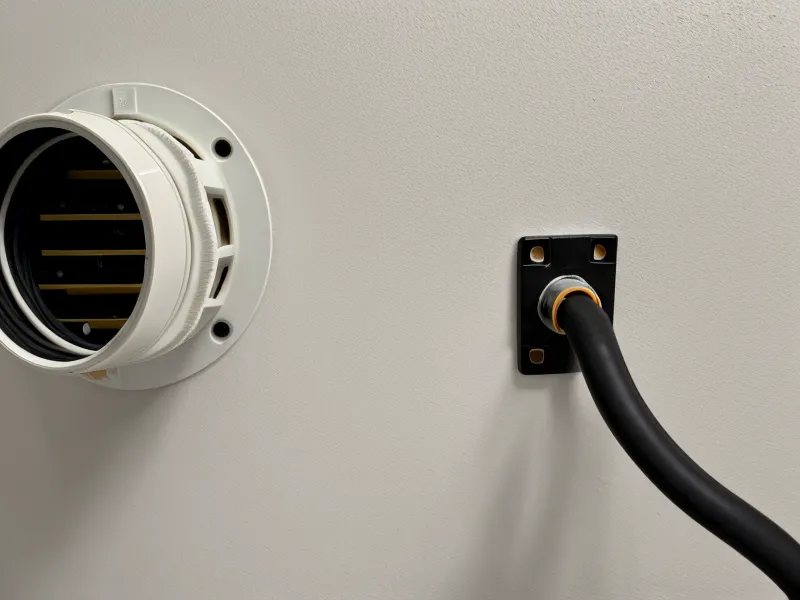
Fiber vs Cable: What Symmetrical Actually Means
Symmetrical just means the upload and download numbers match, and Frontier's fiber line proved that in practice rather than marketing copy. The plan tops out at a 5,000 Mbps symmetrical tier, so whatever ceiling applies to downloads applies to uploads too. Spectrum's fastest residential tier still caps upload near 35 Mbps, regardless of how much download speed the plan promises on the download side. That gap is why two connections both marketed as "gigabit" can behave nothing alike once a video call, a cloud sync, and a second device in the house all need to send data out at the same time.

Provider Comparison for Kansas City Households
Here's how the main options on a typical Kansas City block stack up side by side, upload column first because that's the one worth reading closely before anything else.
| Provider | Max Upload Speed | Technology | Contract Policy |
|---|---|---|---|
| Frontier Fiber | 5,000 Mbps | Fiber (Symmetrical) | No Annual Contract |
| Spectrum | 35 Mbps | Cable (Asymmetrical) | No Annual Contract |
| Quantum Fiber | 940+ Mbps | Fiber (Symmetrical) | No Annual Contract |
| AT&T Fiber | 5,000 Mbps | Fiber (Symmetrical) | No Annual Contract |
What Happens When a Cloud Backup and a Client Call Collide?
Upload carries the outgoing half of every call and file transfer, while download only handles what's coming in, a priority that deserves its own full breakdown elsewhere, but the short version showed up clearly during a stress test that stacked a 400GB client database backup on top of a full afternoon of meetings.
On the Spectrum connection, that kind of overlap sent ping times from a baseline near 20ms up to 150ms the instant the upload started. Frontier Fiber held flat around 8ms under the identical load, because the symmetrical design gives outgoing traffic its own lane instead of competing with everything else trying to leave the house at once. Anyone who has already weighed Brightspeed vs Spectrum for Suburban Kansas City Home Offices and is still on the fence about switching, this is the number that should settle it.
Jitter, Not Just Speed, Is What Breaks a Call
Jitter is the technical term for that micro-stutter where audio drifts out of sync with video, and testing for it properly is its own process worth walking through on its own. On a speed test, the download figure always renders first, with a jitter line steadying in underneath it a second or two later — easy to skip past, and often the number that actually predicts how a call will feel. In practice, on cable it showed up almost every afternoon once neighborhood traffic picked up, a pattern raw speed numbers never capture by themselves. A standard speed test summary won't flag it either, which is why a call can stutter even when the headline numbers look perfectly fine.
What If Fiber Isn't at Your Address Yet?
Fiber, cable, DSL, satellite, and fixed wireless each solve the upload problem differently, and the full rundown of how they stack up against each other lives elsewhere. Here, the practical answer is that address availability decides more than preference does — check what actually reaches your block before comparing anything else.
Before Frontier's crews reached this block, a fixed-wireless plan from T-Mobile Home Internet filled in as a stopgap, and it didn't hold up. Latency spiked past 80ms, and any screen share during a client call would freeze mid-slide. Fixed wireless from carriers like Verizon can perform better depending on tower distance, a variable that gets its own dedicated review, but the version tested here wasn't stable enough for back-to-back calls.
Satellite service, HughesNet included, solves a different problem entirely. It's the option for addresses with no wired or wireless choice at all, not a substitute for anyone who actually has one, and the trade-offs there get their own full treatment separately.

The Verdict on Frontier vs Spectrum
I'm staying with Frontier Fiber, and the reasoning comes down to the same two numbers from the top of this piece: a connection that sends data out as fast as it pulls data in stops upload from being the thing that quietly wrecks a workday.
For anyone outside Frontier's current footprint, Quantum Fiber and AT&T Internet both run the same symmetrical fiber architecture and are worth checking first. Brightspeed is a reasonable fallback in smaller markets still waiting on fiber, actively replacing older DSL lines block by block.
Spectrum still makes sense for a household that only streams and browses — the download ceiling is plenty for that. For remote work, upload is the number that actually decides whether a Monday morning call survives. Check availability at your own address through the links above before signing anything, and treat the first bill as a baseline, not a promise.