
The frame stuttered, my character froze mid-reload, and then the screen flashed a bright, mocking 'Defeat.' It was late November, and my Spectrum connection had just decided that a Friday night was the perfect time for a jitter spike. For someone who has cycled through 6 providers since moving to Kansas City in 2018, this was a familiar, albeit infuriating, moment of ISP regret.
Before we dive into the logs, I earn a commission if you sign up for an internet plan after clicking through my links. This comes at no extra cost to you, and it doesn't change my rankings. I only write about providers I have personally paid for and tested—or those currently being used by my close colleagues—and I stop covering any company that lets their service quality slide. If you're tired of the lag, you can check Frontier Fiber availability at your address here.
The Asymmetrical Bottleneck: Why Spectrum Cable Struggles
When I first moved into my current suburban home, Spectrum was the only game in town that could promise a 1000 Mbps download speed. On paper, it looks like a powerhouse. But as any IT consultant will tell you, download speed is only half the story—and for gaming, it might be the less important half. Spectrum relies on a Hybrid Fiber-Coaxial (HFC) network. Think of it like a massive highway where the inbound lanes (download) are ten lanes wide, but the outbound lanes (upload) are a single-lane dirt road.
That outbound road is where the trouble starts. Even on their top-tier 1 Gig plan, Spectrum typically caps the upload speed at 35 Mbps. While 35 Mbps sounds like enough for a single gaming packet, it’s not just you on the line. In a modern household, your smart cameras are uploading footage, your spouse is on a Zoom call, and your phone is backing up photos to the cloud. When that 35 Mbps pipe fills up, you experience something called 'bufferbloat,' which causes your gaming packets to sit in a queue, waiting for their turn to leave the house. This results in latency spikes that make competitive play impossible.
Frontier Fiber and the Symmetrical Advantage
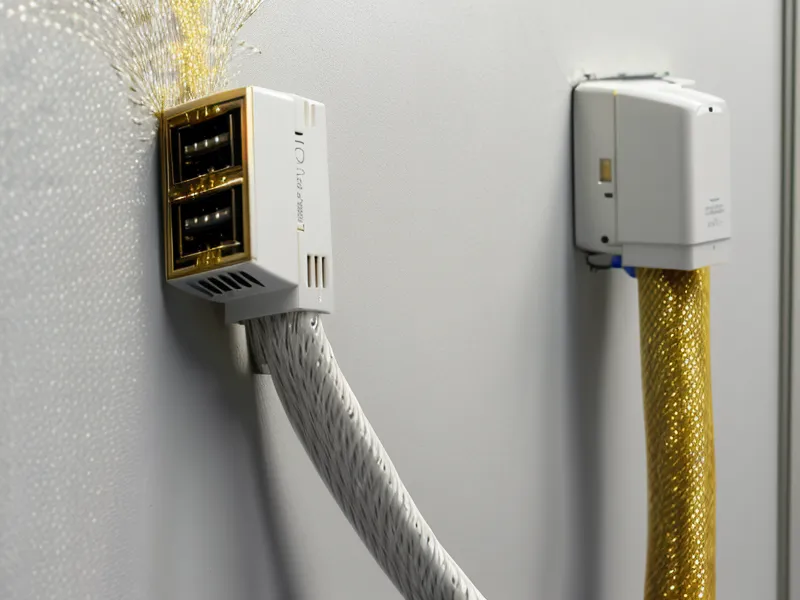
Transitioning to Frontier Fiber earlier this year felt like moving from a local train that stops at every block to a dedicated express line. Unlike cable, Frontier’s fiber-to-the-home (FTTH) architecture is built for symmetrical performance. If you pay for their high-tier service, you can get up to a 5 Gig connection both ways. While 5 Gig is overkill for most, the underlying technology means your upload never hits a bottleneck.
I started my testing after about two months of constant Spectrum frustration. The Frontier install day was a breath of fresh air. The technician, a guy named Mike who actually knew the difference between an ONT and a standard modem, spent time ensuring the fiber line was routed cleanly into my basement office. Since then, I’ve been comparing Frontier Fiber internet plans to see if the stability holds up under pressure, and the results have been eye-opening for my gaming logs.
The Jitter Factor: The Silent Killer of Frame Timing
Most people look at 'ping'—the time it takes for a packet to reach the server and come back. During my tests, Spectrum and Frontier often showed similar average pings, hovering around 20ms to 25ms to local Midwest servers. However, the experience was vastly different. This is because of Jitter, or the variance in that ping over time.
On Spectrum, my ping might be 20ms one second and 85ms the next. This causes 'rubber-banding,' where your character teleports back to a previous position. Frontier’s jitter stability is significantly superior. Because you have a dedicated fiber strand rather than a shared neighborhood node, the frame timing remains consistent. I’ve noticed that even during peak evening hours, Frontier maintains single-digit jitter, whereas Spectrum would often see spikes into the high twenties as the neighborhood started streaming Netflix.
Real-World Testing: One Snowy Evening in February
The true test came one snowy evening in February. The weather was miserable, and everyone in my suburban cul-de-sac was indoors, likely hammering the local Spectrum node with 4K streams. My gaming rig was logged into a competitive shooter, and I was running a background ping test. On Spectrum, my upload speed was struggling, and I was seeing packet loss of about 2%. That’s enough to make a headshot register as a miss.
I swapped the ethernet cable over to my Frontier ONT (I kept both services active for a month to do side-by-side testing—a perk of my IT consulting background). The difference was immediate. The packet loss dropped to zero, and the 'network instability' icons in the corner of my screen disappeared. Frontier isn't everywhere—they are currently focused on a primary footprint across 3 states including Texas, Florida, and California—but where they have fiber, it beats cable every single time for real-time applications.

The Billing Reality: Contracts and Price Locks
Dealing with ISP billing is often more stressful than a 1v5 clutch moment. Spectrum is famous for their promotional pricing that disappears after 12 months, usually resulting in a bill that jumps significantly without much warning. I’ve written before about what to do when your Spectrum promo price ends, but it’s a constant dance of calling and negotiating.
Frontier, on the other hand, has been leaning into multi-year price locks for their fiber tiers. When I signed up, I wasn't just looking at the speed; I was looking at the lack of data caps and the transparency of the monthly statement. There were no 'broadcast TV fees' or 'regional sports surcharges' hidden in the fine print because, quite frankly, I wasn't buying a TV bundle. I was buying a raw data pipe. If you're considering a move, you might also want to look at Quantum Fiber or even Brightspeed if you are in one of the 17 states where they are aggressively expanding their fiber footprint.
Final Verdict: Which Provider Should You Pick for Gaming?
By mid-July, after nearly ten months of logs, the data was clear. If Frontier Fiber is available at your address, it is the superior choice for competitive gaming. The symmetrical 5 Gig capability is great for bragging rights, but the real win is the jitter stability and the lack of upload congestion. Spectrum remains a decent fallback for neighborhoods where fiber hasn't reached yet—it’s certainly better than DSL or satellite—but it cannot compete with the raw physics of light over glass.
If you are currently on a cable connection and find yourself losing matches to 'lag' that your ISP claims doesn't exist, it’s time to look at your upload metrics. You can check the latest Frontier Fiber plans and price locks here to see if you can finally ditch the asymmetrical bottleneck for good. For those in areas where Frontier hasn't built out yet, AT&T Internet or other fiber options should be your next stop.
| Product | Rating | |
|---|---|---|
| Frontier Best for Gaming | 9.1 | Read More → |
| Quantum Fiber | 8.9 | Read More → |
| AT&T Internet | 8.7 | Read More → |
| Spectrum | 7.8 | Read More → |
| Brightspeed | 7.5 | Read More → |
Frontier
Pros
- ● Up to 5 Gig symmetrical speeds for zero upload lag
- ● Multi-year price lock provides billing transparency
- ● Significantly lower jitter than cable during peak hours
- ● No data caps on any fiber tier
Cons
- − Fiber footprint is still limited to specific expansion zones
- − Legacy DSL areas still exist and should be avoided